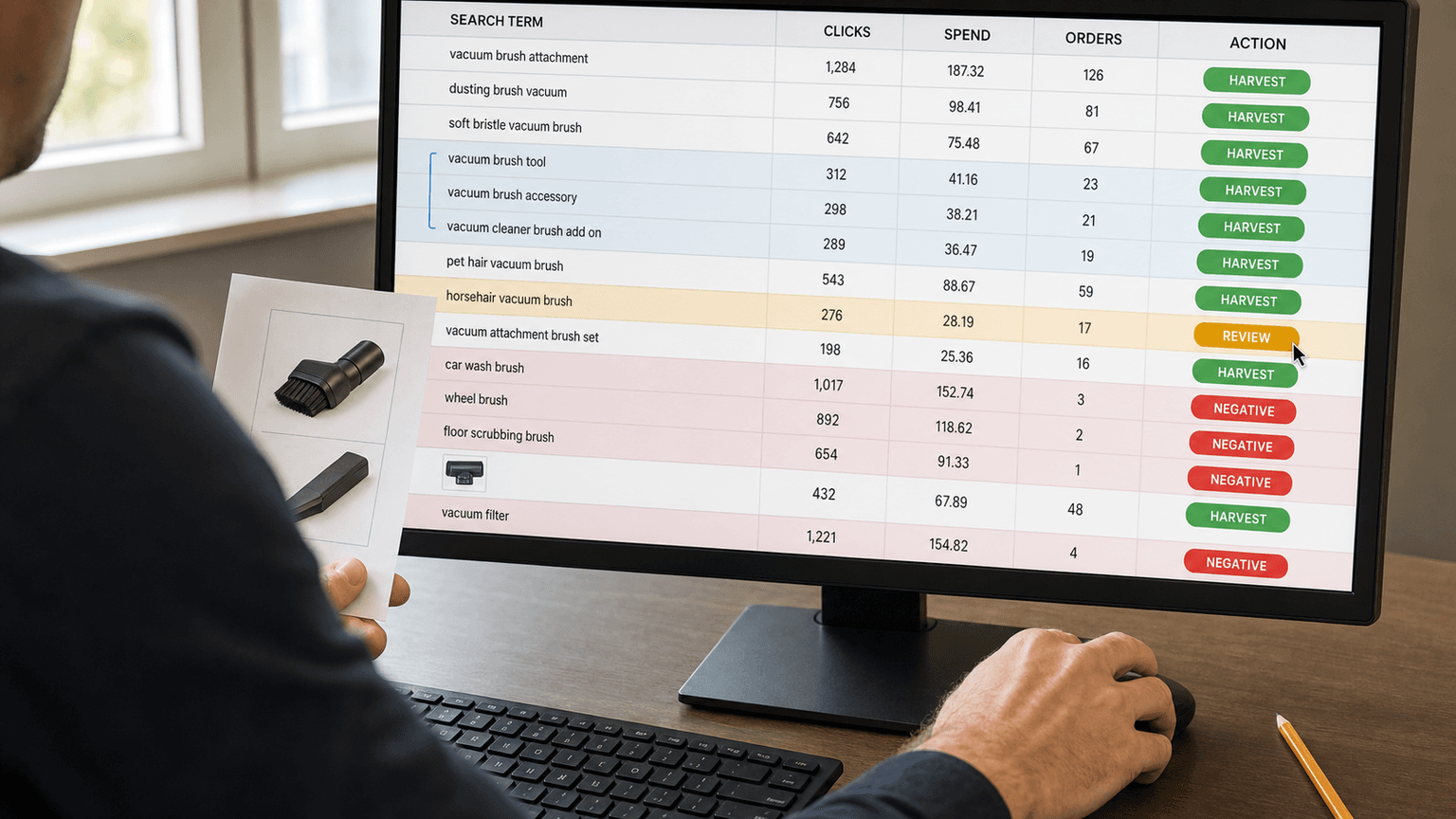
Your search-term report is where Amazon PPC stops being theory.
Keywords are what you bid on. Search terms are what shoppers actually typed, or the product-page context that triggered the ad. That difference matters. A keyword can look clean in Campaign Manager while the search-term report shows spend leaking into weak variants, competitor names, support queries, accessories you do not sell, and ASIN placements you forgot were in the mix.
Amazon says search-term reports can help advertisers find high-performing customer searches and create negative keyword or product targets for terms that do not meet their goals. It also notes a constraint teams often miss: the report includes only search terms with at least one ad click, and the Sponsored Products report has a 65-day lookback window. [S1] [S2]
AI is useful here because the report is messy, repetitive, and too large to review row by row. AI can import the file, normalize rows, group duplicates, classify shopper intent, flag obvious waste, and rank what a human should review first. It should not quietly decide every exact, phrase, negative exact, or negative phrase change on its own. That is also why strong Amazon PPC management still depends on account structure, product knowledge, and operator judgment instead of blind automation.
That is the whole workflow: machine-speed classification, operator-owned decisions.
What AI should do
Most search-term analysis fails before the operator gets to the real judgment call. Someone sorts by spend. Then by orders. Then by ACOS. Then they search for brand names. Then they notice the same query appears in four campaigns. Then they wonder whether “replacement gasket” is junk or a perfect match for an accessory SKU.
AI can compress those passes into a decision packet.
For each row, ask the model to output:
- normalized and original search term
- source campaign, ad group, target, and match type
- shopper query vs ASIN/product-page placement
- brand bucket: own brand, competitor, generic, mixed, unknown
- intent bucket: exact product, category discovery, accessory/refill, comparison, competitor, DIY/informational, incompatible, support/employment, ambiguous
- clicks, spend, orders, sales, CVR, ACOS/ROAS, CPC
- duplicate or semantic cluster ID
- whether the term already exists as a target or negative
- provisional action, confidence, expected impact, risk note, and operator decision
The key phrase is provisional action. AI can suggest “harvest exact,” “negative exact,” “negative phrase candidate,” “monitor,” “protect,” “product target,” or “human review.” The PPC operator still chooses the actual account change.
That boundary is not bureaucracy. It is where bad automation gets expensive.
Step 1: preserve the context
Start with Sponsored Products and Sponsored Brands search-term reports, not a keyword research export. Do not strip the file down to search term, spend, and sales too early. Keep the campaign, ad group, targeting type, match type, advertised SKU or ASIN, customer search term, clicks, spend, orders, sales, ACOS or ROAS, and date window.
AI needs that context to avoid dumb recommendations. “Espresso mug” means one thing in an espresso machine launch campaign and another thing in an accessory campaign. An alphanumeric ASIN-style row is not a keyword. Review it as product targeting context, not phrase match text. [S1]
Step 2: normalize before you judge
Raw search terms are noisy. You will see plurals, misspellings, spacing changes, word-order changes, and close variants that reflect the same shopper intent.
Have AI normalize the obvious stuff: lowercase terms, remove stray punctuation, group close variants, flag ASIN-looking rows, and aggregate the same query across campaigns, match types, and ad groups.
That last part is the money goblin. A term can look harmless in one ad group and expensive across the account. Or it can look like a winner in one campaign while another campaign is already targeting it more cleanly.
This is where AI beats spreadsheet filters. It can group “turmeric dog supplement,” “turmeric for dogs,” and “pet turmeric chews” as the same pet-intent cluster without pretending they are identical strings.
Step 3: classify intent, not just words
A good search-term workflow separates branded, generic/category, competitor, and irrelevant traffic. For Amazon PPC, that is only the starting line.
Add intent labels that reflect the decision you need to make: exact product, category discovery, accessory/refill, comparison, competitor research, DIY/informational, support, incompatible, and ambiguous niche fit.
This prevents the classic negative-keyword mistake: blocking a term because it looks weird in isolation.
“Dog turmeric” is irrelevant for a human turmeric capsule. It is highly relevant for a pet supplement brand. “Kids curtain rod” might be waste for a general hardware seller, but exact-fit traffic for a short nursery safety rod. “Replacement gasket” is junk if you sell whole espresso machines and do not sell parts. It is a winner if the SKU is the replacement part.
AI can flag the ambiguity. The operator has to know the product.
Step 4: score evidence with flexible thresholds
You need thresholds, not fake certainty.
Practitioner workflows often use starting points like 2-3 orders at acceptable ACOS for harvest candidates, or 15-20 clicks with zero orders for negative candidates. Treat those as defaults, not laws. A $12 impulse item, a $190 appliance, and a launch-phase supplement should not share the same decision threshold. [S3] [S4]
Score each row against the account’s economics: target ACOS or ROAS, margin, average conversion rate, product price, conversion lag, launch vs mature status, inventory, brand-defense strategy, and conquesting strategy.
A practical scorecard uses four questions:
- Is there enough click, spend, order, and sales data to trust the signal?
- Is the product fit strong, plausible, weak, irrelevant, or unclear?
- What is the likely impact: wasted spend saved or useful sales control gained?
- What is the risk: false negative, duplicated target, or blocked long-tail traffic?
The output should not be “apply this change.” It should be “review this row first because the evidence is strong and the impact is high.”
Step 5: harvest winners into controlled targets
Keyword harvesting means taking search terms that proved they can convert and graduating them into more controlled targeting. Amazon’s targeting guidance supports the underlying pattern: automatic targeting can help discover search trends, and advertisers can use search-term metrics from automatic campaigns to identify keywords or products to target manually. “Keyword harvesting” is the industry name for the loop, not necessarily Amazon’s product label. [S5] [S6]
A clean harvest candidate usually has multiple orders, acceptable ACOS or ROAS, clear product fit, no existing exact target already doing the job, and enough volume to justify its own bid.
For most proven search terms, exact match is the first place to consider because it gives the operator tighter bid control around the term that converted. Phrase can make sense when the query is a useful root and the variations are still commercially relevant, but phrase also invites more variation back into the account. [S7]
After harvesting, review the source campaign. Many teams add a negative exact in the discovery source after graduating a winner so the same query does not keep bouncing between campaigns. The right move depends on structure, but harvesting without source control can create internal competition and muddy the data.
Step 6: block waste carefully
Negative keywords are where speed can hurt you.
Amazon distinguishes negative exact from negative phrase. Negative exact blocks the exact phrase or close variations. Negative phrase blocks queries containing the complete phrase or close variations, which gives it a wider blast radius. [S7]
That is why AI should treat negative phrase as a candidate, not a command.
Use negative exact for specific bad queries when the evidence is strong: enough clicks or spend, zero orders, weak fit, and no obvious attribution-lag issue. Use negative phrase only when the whole theme is wrong and the operator has checked for profitable niche variants.
Bad negative phrase decisions do not announce themselves. They just stop the account from entering auctions that might have converted.
If the term contains a product attribute, audience, use case, compatibility clue, or accessory/refill language, send it to human review before phrase-blocking it.
Step 7: cluster variants before choosing match type
Amazon match types already include close variants. Broad match can include related terms based on meaning and product context; phrase and exact also have close-variant behavior. [S7]
So do not create separate exact targets for every tiny variation. “Outdoor string lights,” “outside string lights,” and “string lights outdoor” may need one controlled target, a few exacts, or a phrase test depending on volume and structure.
For each cluster, ask:
- Is one query clearly the main converter?
- Are the modifiers commercially meaningful?
- Are variants split across campaigns?
- Is phrase likely to find more good traffic or reopen junk?
- Is this a product-targeting opportunity instead of a keyword?
Semantic deduplication reduces spreadsheet noise without flattening the operator’s judgment.
Decision matrix
| Situation | AI provisional action | Human decision point | Main risk |
|---|---|---|---|
| 3+ orders, acceptable ACOS, not already targeted | Harvest exact | Destination campaign/ad group and starting bid | Duplicate targeting if source is not controlled |
| Repeated converter with useful modifiers | Harvest exact or phrase test | Whether variants are worth reach | Phrase can reintroduce noise |
| High clicks/spend, zero orders, weak fit | Negative exact | Confirm window, attribution lag, and product fit | Premature negation |
| Whole semantic theme is irrelevant | Negative phrase candidate | Confirm no profitable niche variants | Wide blast radius |
| Own-brand query | Protect or structure review | Brand defense vs harvesting | Misreading efficient branded demand |
| Competitor query | Human review | Strategy, brand comfort, ACOS tolerance | Wasteful conquesting or missed strategic target |
| ASIN-looking row | Product target or negative product | Product-page relevance | Treating ASIN context like a keyword |
| Ambiguous niche term | Human review | Product knowledge | AI false negative |
| One sale on tiny click volume | Monitor | Sample size | Overfitting a lucky conversion |
| High-ACOS launch/ranking term | Protect or bid review | Lifecycle and organic rank goal | Cutting strategic discovery too early |
Prompt skeleton
Use this as the core instruction:
“Analyze this Amazon Ads search-term report. Normalize search terms, aggregate duplicate queries across campaigns and match types, identify ASIN/product-placement rows, classify each term by brand bucket and shopper intent, cluster close variants and semantic duplicates, score performance evidence against the supplied target ACOS/ROAS and product economics, then assign a provisional action. Do not make final account-change decisions. For each recommendation, explain the evidence, risk, confidence, and the exact question a PPC operator must answer before approving exact, phrase, negative exact, negative phrase, product target, monitor, protect, or human review.”
Then feed the AI product context: title, category, brand names, competitor names, excluded use cases, accessories/refills sold or not sold, margin, target ACOS/ROAS, launch or mature status, campaign purpose, and known strategic terms.
Without that context, AI will confuse “irrelevant” with “I do not understand this niche.”
Downloadable asset to stage
Search-Term Analysis Prompt and Decision Matrix: package the classification schema, action matrix, confidence and risk fields, and human-review questions for exact, phrase, negative exact, and negative phrase decisions. If the site does not yet have a download mechanism, stage this as a visible implementation asset rather than claiming the download is live.
Guardrails before changes go live
Before applying recommendations, ask:
- Are there enough clicks, spend, and orders to trust the signal?
- Does the term already exist as a target somewhere else?
- Would negative phrase block valid long-tail variants?
- Is the query actually an ASIN/product-page placement?
- Is this branded traffic that needs protection, not harvesting?
- Is this competitor traffic worth the ACOS tolerance?
- Is the product in launch mode, low inventory, or margin-constrained?
- Did the AI explain why the row is high priority?
- Did a human approve the final match type and destination?
If the answer is fuzzy, do not automate the change. Put it in the review queue. The point is not to demo a clever tool; it is to create repeatable decisions that can show up in cleaner spend control and better results for Amazon brands.
AI does not make Amazon PPC safe by replacing the operator. It makes the operator faster by removing the spreadsheet ritual. The machine can read every row, find duplicates, group weird variants, classify intent, and hand you the rows most likely to matter. The human decides whether “cheap digital watch” is waste for a premium watch brand or exactly right for a budget line.
That is the difference between an AI workflow and an AI wrecking ball.
If your search-term report has thousands of rows and no consistent decision logic, start with a free Amazon PPC audit. Clickbringer can help identify where spend is leaking, where winners should be graduated, and where AI can speed up review without taking judgment out of the account.
Related reading: this article owns the end-to-end search-term mining workflow. For the broader AI capability ladder, see Amazon PPC AI agents in 2026. For the account-structure and approval-gate companion, see AI for Amazon PPC: Account Structure and Guardrails First. For the broader automation overview, see PPC automation tools.
Public source notes
- [S1] Amazon Ads Support Center, “Search term report for Sponsored Products.” https://advertising.amazon.com/help/G3HEFZYWZF84NPS9
- [S2] Amazon Ads Support Center, “Search term report for Sponsored Brands.” https://advertising.amazon.com/help/GLPHMX59DC5WSSQW
- [S3] Sellerview, “What is Keyword Harvesting? Amazon PPC Guide.” https://sellerview.ai/blog/what-is-keyword-harvesting-amazon-sellers
- [S4] SalesFortuna, “Amazon Negative Keywords: Guide, Types & Strategy.” https://salesfortuna.com/academy/negative-keywords
- [S5] Amazon Ads, “A guide to targeting with Sponsored Products.” https://advertising.amazon.com/library/guides/targeting-with-sponsored-products
- [S6] SellerStack, “Keyword Harvesting in Amazon PPC: How It Works.” https://www.sellerstack.ai/glossary/keyword-harvesting
- [S7] Amazon Ads Support Center, “Understand keyword match types.” https://advertising.amazon.com/help/GHTRFDZRJPW6764R


